Getting Started with Marigold ID
The Marigold ID is a cloud-based identity management system that enables common authentication across various Marigold products. The ID allows application users and administrators to log into Marigold as a single, seamless platform, to manage user profile information, and to easily switch between applications and Business Units.
Marigold ID users can sign into Marigold applications using the appropriate method in accordance with their organization’s authentication process:
-
Default: Email address and password (meeting NIST guidelines)
-
Two-Factor: Email address and password, followed by an authentication code
-
Single Sign-On: Email address followed by redirection to SSO provider
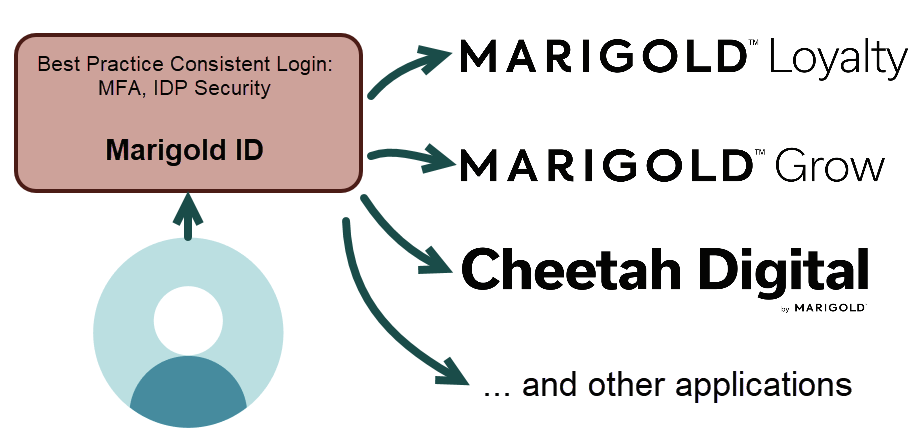
Marigold ID provides the following key functionality:
-
Facilitates authentication to Marigold applications.
-
Manages the master list of users, including their profile information, user type, and login credentials.
-
Manages a client's Organization. An Organization represents a single client or company, and is the highest level within the Marigold authentication structure.
-
Optionally, manages the Business Units within an Organization. Business Units represent the different brands or divisions within the larger Organization.
-
Tracks the Marigold applications that have been provisioned for each Business Unit and Organization.
-
Tracks the Marigold applications, Organizations, and Business Units to which each user has been granted access.
-
Optionally, manages the User Groups within an Organization. A User Group is a repeatable set of access permissions that is intended to streamline the process of onboarding new Marigold ID users.
-
Optionally, enables the App Attributes feature. App Attributes allow administrators to assign custom roles and permissions to Marigold ID users for certain applications.
The Marigold ID also empowers deep-linking between applications. For example, within Journey Designer, you can select a “Create Messaging Campaign” option or an “Edit Loyalty Offer” option. The platform will display the relevant screen (in the correct Business Unit context) in the other application without needing to login again.
Note: Once your Marigold ID profile is created and activated, the platform will no longer allow you to directly log in to a specific product or application. Instead, you will be prompted to sign in with your Marigold ID to access your Marigold applications.